HyperSkip Preparing workspace...
v1.4.0 • JioHotstar & Prime Video • 16x Fast-Forward

Stream Hotstar & Prime Video.
Zero Ads. Zero Delays.

The ultra-lightweight Chrome extension that accelerates in-video ads to 16x speed, automatically silences commercial audio, auto-clicks skip buttons, and removes promo banners.

JioHotstar Ad Skipper Cinema Experience
⚡ Skipping Ad 16x Max

See How It Bypasses Ads in Real-Time

Click the trigger button below to simulate how the extension handles unskippable Hotstar ads.

🎬 Zack Snyder's Justice League
Ad · 00:15
Go Ads free
⚡ Skipping Ad (16x)
Skipper Status: Active & Watching
Playback Speed: 1.0x
Audio State: Unmuted 🔊

Engineered for Seamless Entertainment

Designed to eliminate every category of ad intrusion without breaking video streams or Widevine DRM.

16x Hyper-Speed Acceleration

The instant an in-video advertisement triggers, playback is accelerated to HTML5's maximum 16x speed. A grueling 30-second commercial finishes in approximately 1.8 seconds.

~1.8s Average time spent per 30s ad

Smart Auto-Mute & Restore

Commercials are often mixed louder than content. The extension mutes audio the moment the ad begins and restores your previous volume the millisecond your show resumes.

Billboard & Banner Purge

Wipes out invasive homepage billboard banners, masthead ads, and companion promo cards so your Hotstar interface stays clean and clutter-free.

Auto-Click Skip Ad Buttons

Monitors the player and automatically clicks "Skip Ad", "Skip Intro", and "Skip Recap" the instant they become clickable.

Widevine DRM & Manifest Safe

Operates purely on HTML5 video elements without tampering with protected network chunks or DRM licenses. Zero buffering, zero playback errors, and zero "Page Unresponsive" crashes.

Zero Buffering No DRM Tampering 0% CPU Overhead

100% Private & Open Source

Runs entirely inside your browser. No telemetry, no external ad servers, no account required. All code is public on GitHub.

A Dashboard Tailored to Your Preference

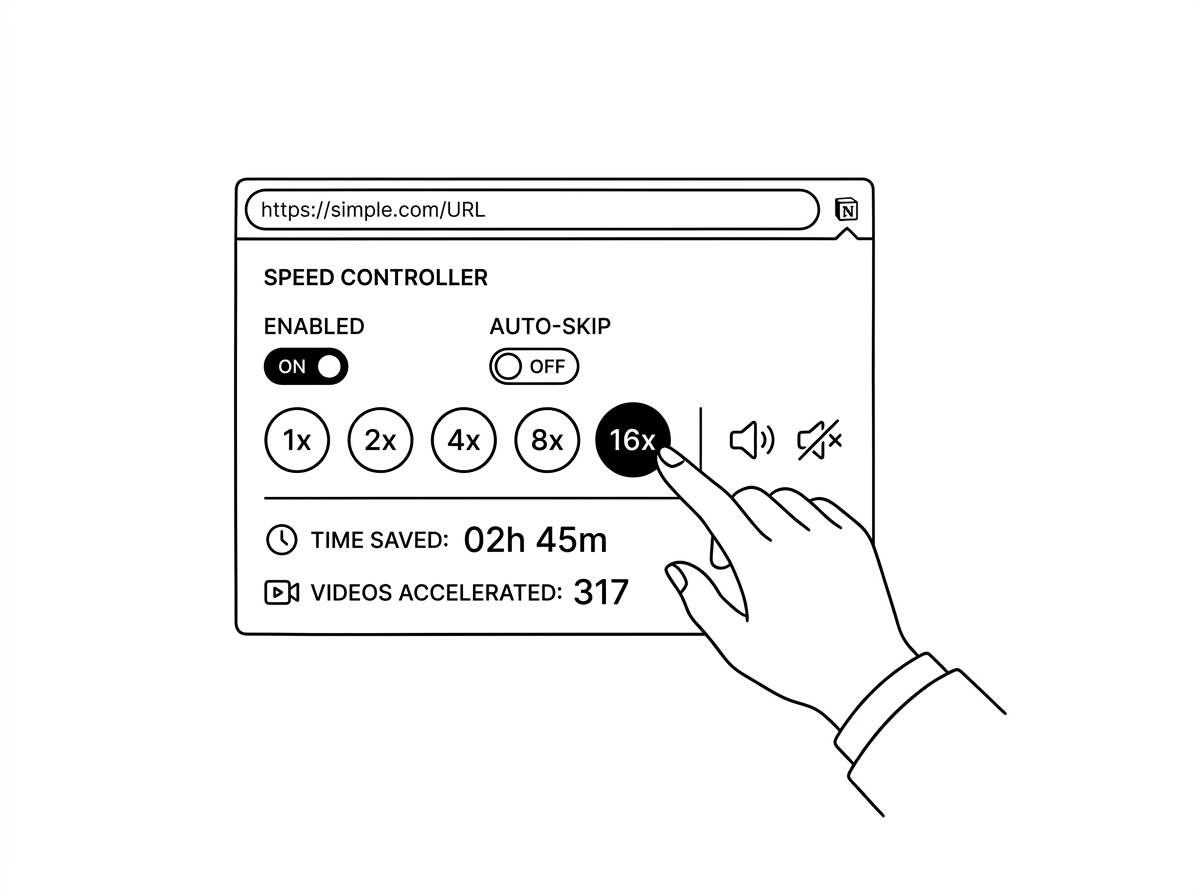
Fine-tune your streaming experience directly from the sleek dark-mode popup in your Chrome toolbar.

  • Speed Multiplier: Switch between 16x (Fastest), 8x, or 4x playback.
  • Audio Automation: Toggle auto-muting during commercial breaks.
  • Visual Screen Veil: Apply a subtle blur and dim filter during ads.
  • Live Counters: Monitor real-time counts of total ads skipped and time saved.
Extension Control Panel Preview

Install in Under 60 Seconds

Compatible with Google Chrome, Brave, Microsoft Edge, Opera, and Vivaldi.

01

Download Codebase

Clone the repository or download the ZIP from GitHub and extract it to your computer.

git clone https://github.com/mihirverma7781/jio-hotstar-ad-blocker.git
02

Open Extension Manager

Navigate to chrome://extensions in your browser URL bar and toggle Developer mode in the top-right corner.

03

Load Unpacked

Click the Load unpacked button and select the extracted project folder. You're ready to stream ad-free!

Ready for Uninterrupted Binge-Watching?

Get the repository and experience true ad-free streaming on Hotstar.

Supported Platforms & Browsers

Disney+ Hotstar hotstar.com
JioCinema jiocinema.com
JioStar jiostar.com

Frequently Asked Questions

How does 16x speed skipping work?

Hotstar uses server-guided and in-video ad streaming. When our detector recognizes the ad markers (such as the "Go Ads free" prompt or the countdown timer), it immediately applies HTML5's maximum native playback rate (16x) and silences audio. A standard 30-second commercial concludes in less than 2 seconds, and normal 1.0x playback resumes automatically.

Does this tamper with Widevine DRM or cause buffering?

No. Unlike aggressive network interceptors that break encrypted streams or crash the player with "Page Unresponsive" errors, this extension operates purely as an HTML5 video controller in an isolated sandbox. It never touches DRM license keys or streaming chunks.

Does it also remove homepage banners and billboard ads?

Yes. The extension includes cosmetic filtering and DeclarativeNetRequest rules that suppress top masthead billboards, video cards, companion ads, and subscription nudges.

Why does video appear black when screen sharing in Meet, Teams, or Zoom?

Protected commercial streams use Encrypted Media Extensions (EME) and hardware-level Digital Rights Management (Widevine/HDCP). The operating system and GPU driver intentionally prevent screen capture tools from reading protected video frames, which results in a black video plane while player controls remain visible. The extension's Presenter Mode ensures your shared browser tab stays clean and free of extraneous HUD badges or filter glitches during meetings.

Which browsers are supported?

Any Chromium-based browser supporting Manifest V3, including Google Chrome, Brave, Microsoft Edge, Opera, and Vivaldi.